In this post, we will be customizing Hybris Backoffice. we will make the search result widget for B2B Customer into a multi-select.
Recently, I was required to add the ability in Backoffice to send out registration emails to B2BCustomers who are disabled. To do this, I thought of making the B2B Customers in Backoffice be multi-select, so that we can select multiple B2B Customers and have our custom action button send emails out to the selected entries.
Out of the Box, the B2B Customers are single select:
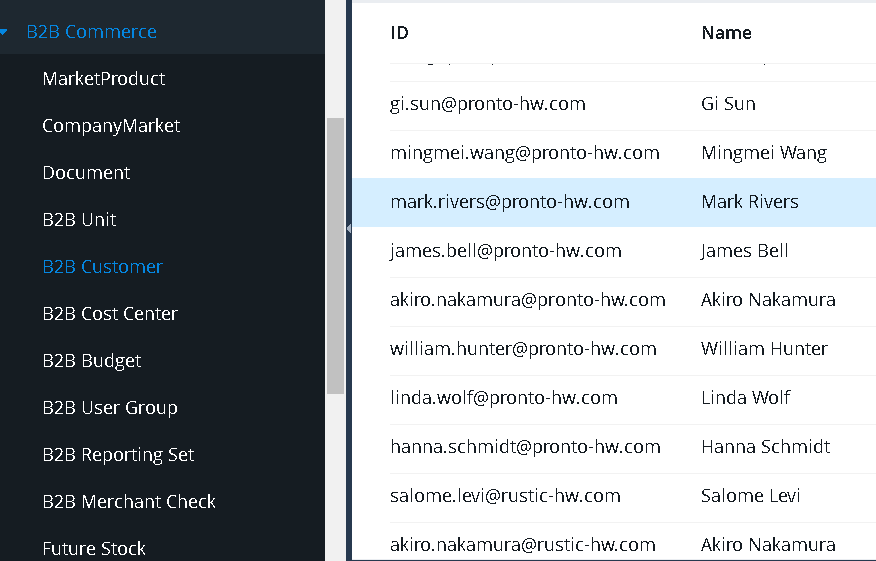
The result we want is to be able to multi-select the B2B Customers so that we can do actions on multiple B2B Customers at a time.
To acheive this, we will use Collection Browser Widget, instead of List View Widget.
Note: The List View widget has been removed and the Collection Browser widget serves as its replacement. For more information on Collection Browser Widget and Migrating to it, read this.
In the collection-browser root element, there is @enable-multi-select attribute that we will use.
The following code in the <extension>backoffice-config.xml will enable multi-select:
<context component="collection-browser" type="B2BCustomer" merge-by="type">
    <cb:collection-browser xmlns:cb="http://www.hybris.com/cockpitng/config/collectionbrowser" enable-multi-select="true" >
        <cb:available-molds>
            <cb:mold spring-bean="listViewCollectionBrowserMoldStrategy"/>
            <cb:mold spring-bean="treeViewCollectionBrowserMoldStrategy"/>
            <cb:mold spring-bean="gridViewCollectionBrowserMoldStrategy"/>
        </cb:available-molds>
    </cb:collection-browser>
</context>
After adding this, log into Backoffice and go into Orchestrator mode by pressing F4, then Click on ‘Reset to Defaults’ under ‘Show cockpit-config.xml’:
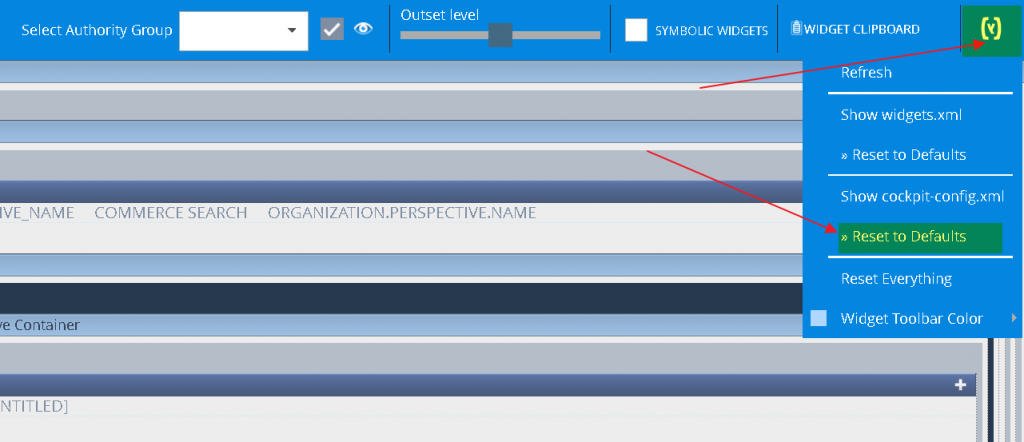
After the screen refreshes, close Orchestrator mode by pressing F4.
Now If we go to B2B Cutomer in Backoffice, you should see your list is a multi-select:
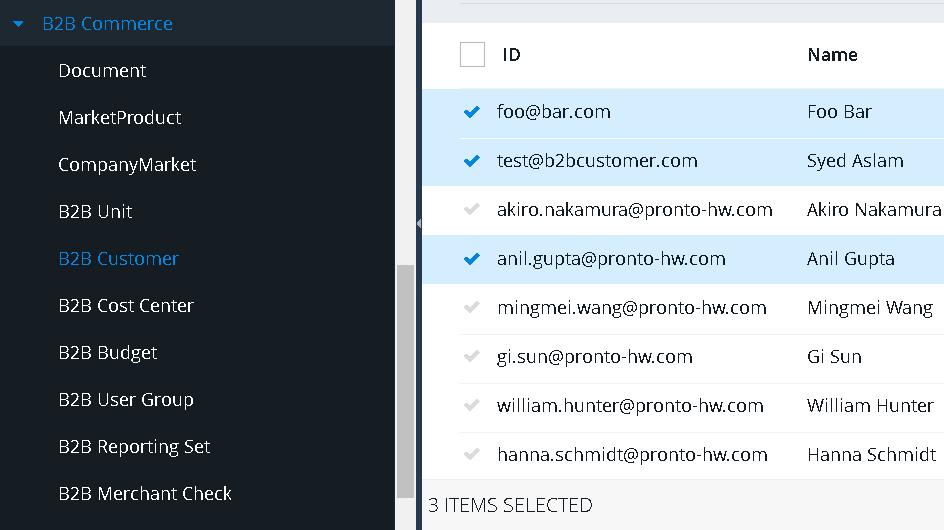
We are done with Customizing Hybris Backoffice in this post. To view all of our posts on SAP Commerce Backoffice, please click here.
2 Comments
Kul Deepak Pandey · March 23, 2020 at 5:16 pm
Which version of Hybris are you using for this requirement, the changes didn’t work for me on the versions 6.2, 6.3 6.6 & 1905. Your help is highly appreciated.
waqasaslam · March 28, 2020 at 10:36 pm
This was implemented on 6.6